
Handful
A free ASL learning app with short lessons, practice games and an in-browser camera check that gives feedback on your fingerspelling.
Project Details
About the Project
I wanted to learn American Sign Language (ASL), but the good apps cost money and the free route was a pile of YouTube videos with no order, no way to check what I'd remembered, and nothing to tell me if I was signing correctly. Handful puts it all in one free place.
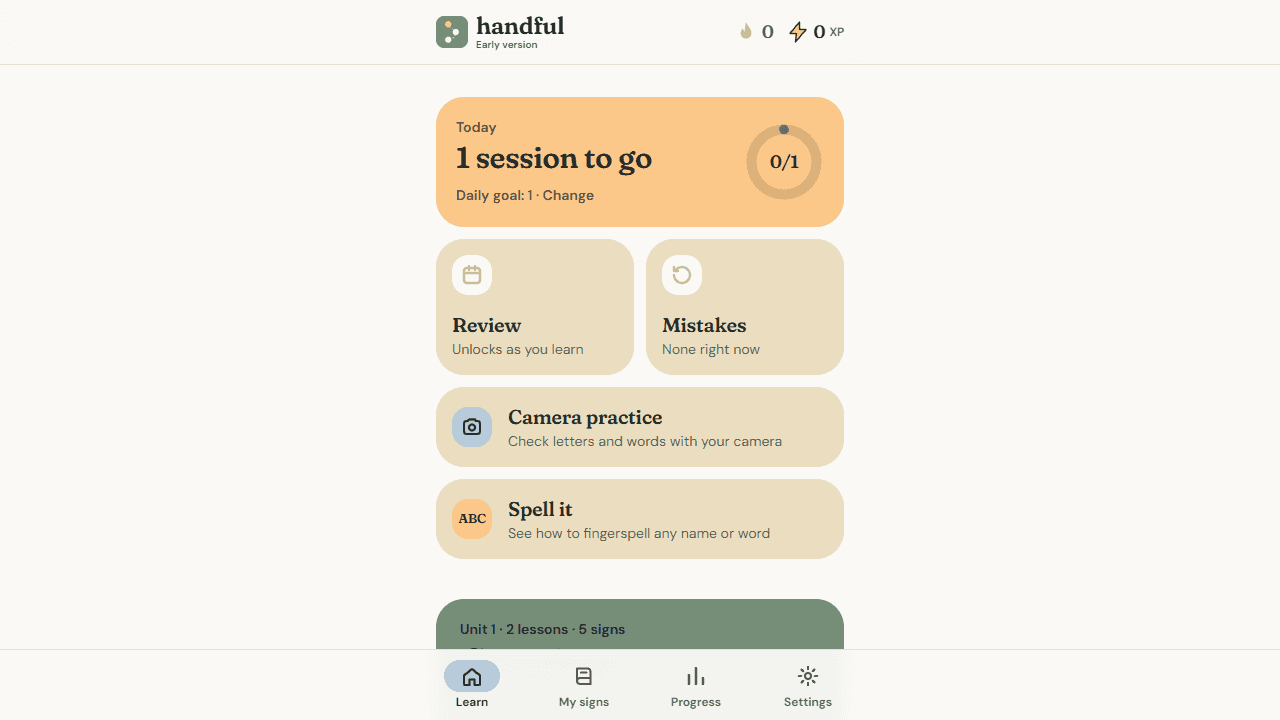
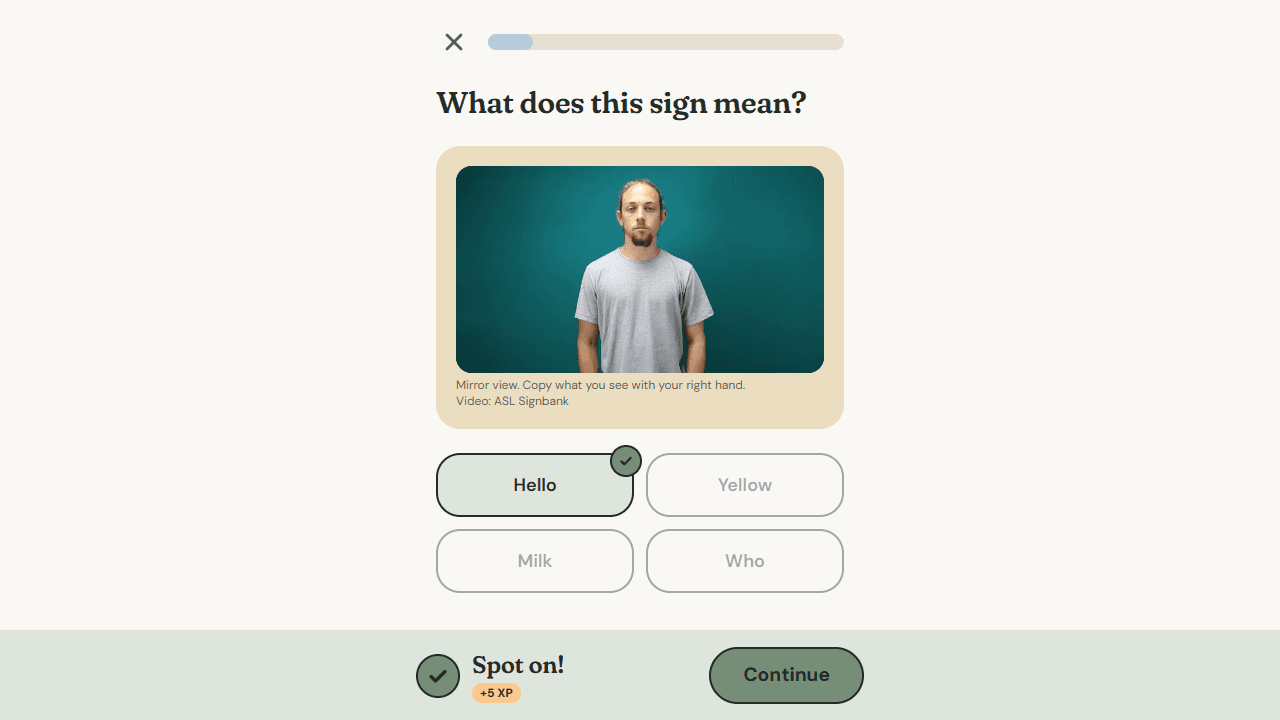
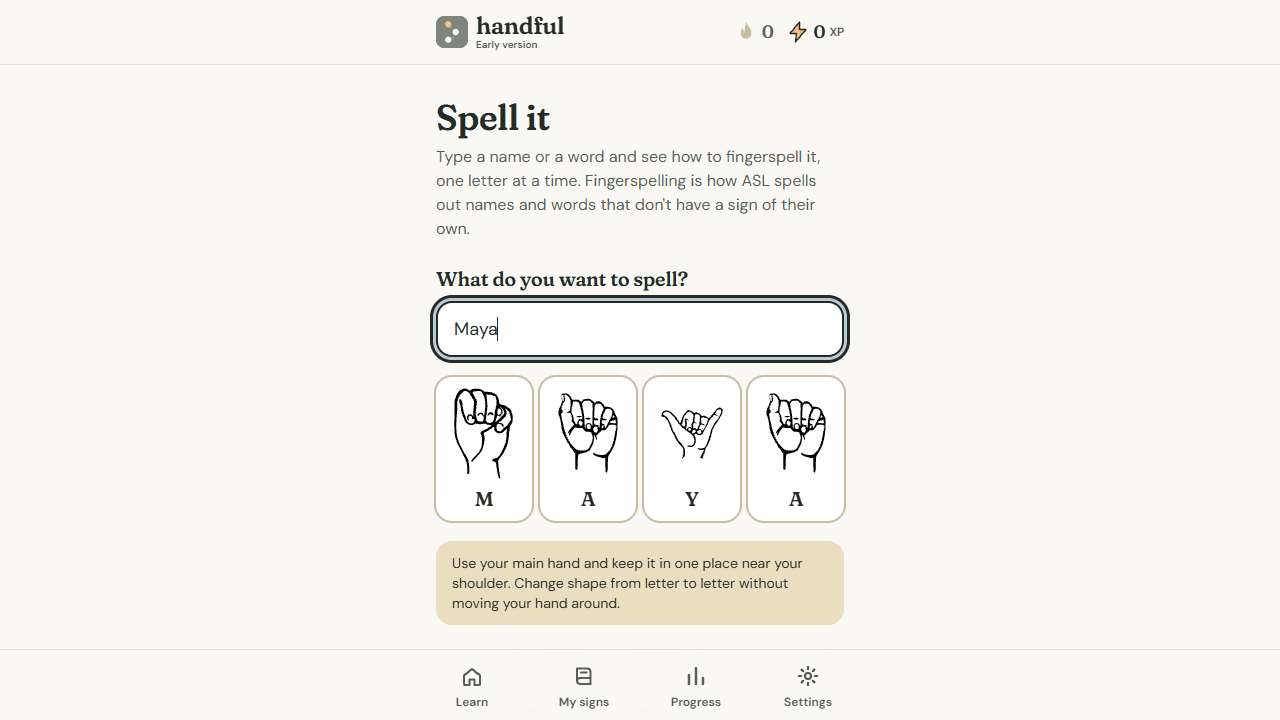
Handful teaches 72 signs across 24 lessons, with real signer videos from ASL Signbank, handshape drawings and memory tips. You practise with quizzes, matching games, spaced review and a mistakes list, with streaks, XP and a daily goal. A Spell it tool shows the handshape for any name or word you type.
There's no account and no database: progress is saved in your browser.
How the Camera Check Works
There is no chatbot. The AI is computer vision that runs entirely in your browser, so your camera video never leaves your device:
- Google MediaPipe Hand Landmarker finds 21 points on your hand in every frame;
- a small logistic-regression model, trained on about 2,100 public hand recordings, tells apart the fist letters A, E, M, N, S and T by where the thumb sits (about 92% on sessions it had never seen); and
- matching logic compares your hand shape and movement against each letter's requirements, and against measurements taken from Signbank videos for words.
The camera gives practice feedback on all 26 fingerspelling letters and 3 words (EIGHT, WHY and YES).
Being Honest About Its Limits
The biggest risk was telling a learner they're right when they're wrong. I waved my hand at the camera and it accepted it as BLUE, and later a thumbs up was accepted as YES.
So I tested it against wrong gestures on purpose, gave each word its own strict limit, required moving signs to actually move, and added a thumb check for YES. For the words I couldn't get right, I switched the camera off. The app tells learners plainly that it's practice feedback, not a grade, and that the sign descriptions were drafted by a non-signer and haven't yet been reviewed by a fluent ASL signer.
Project Satisfaction
I'm proud that I built a real app that actually works. The first time it picked up my hand and said “That looks like B!” I was really happy, because I had spent ages building it without seeing it work.
Areas for Improvement
With more time, I would test the camera with many more people, hands and lighting, since I've only tried it on myself, and find a fluent ASL signer to check every sign description. After that I would add more words and short phrases, but only once each one has been tested properly.