
Anchor
A study assistant that answers only from a student’s own course files, quotes and links its sources, and says plainly when the materials don’t cover a question.
Project Details
About the Project
What if your study assistant admitted when it didn’t know?
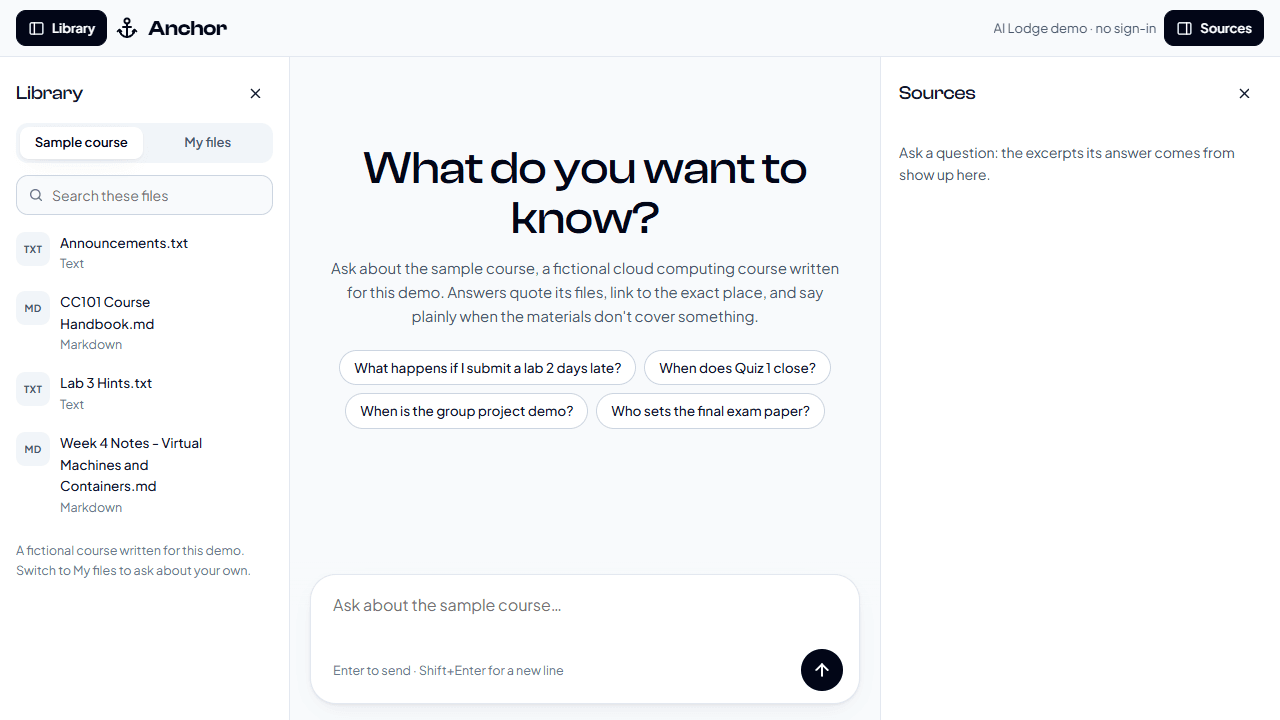
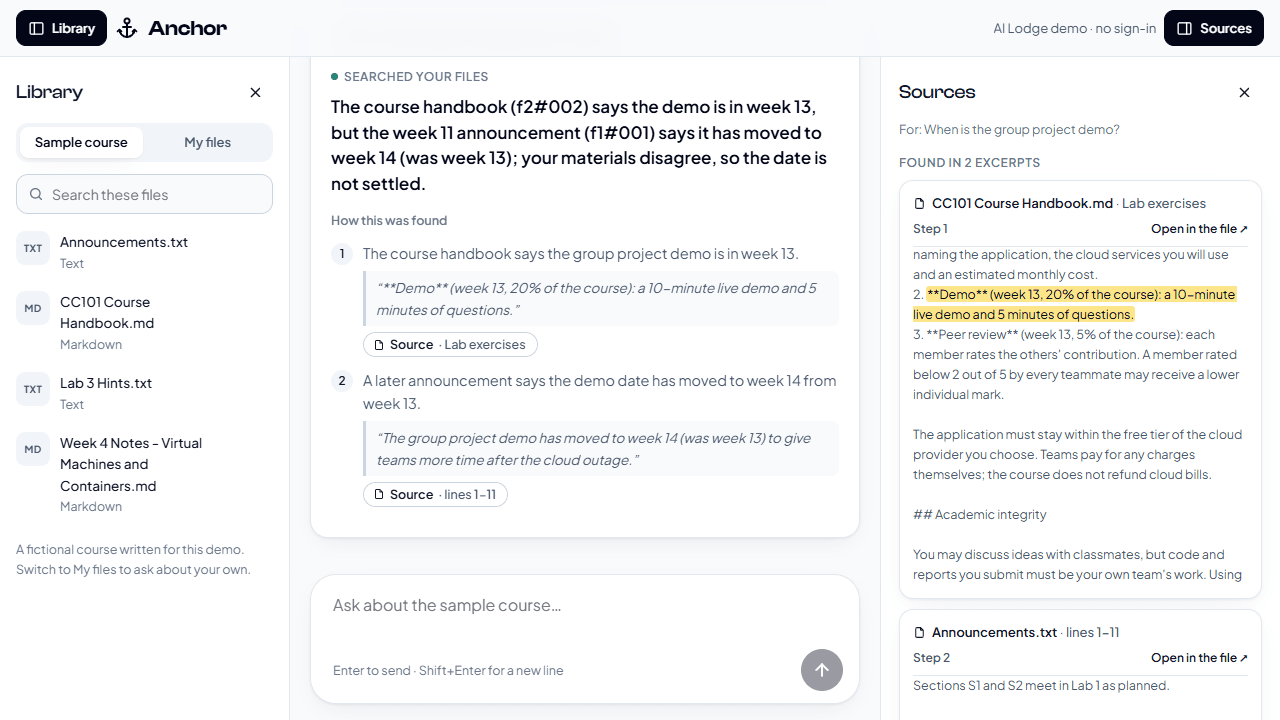
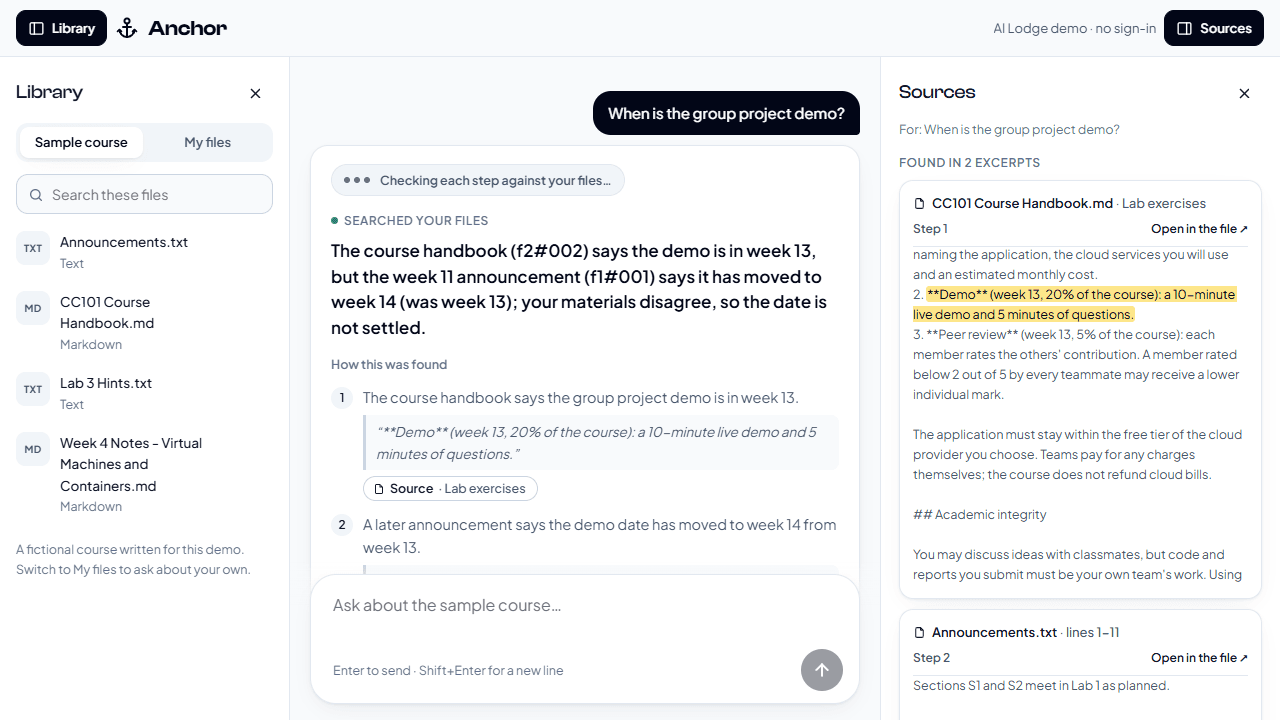
I built Anchor, a study assistant that lets you drag your course files — PDFs, slides, Word documents, notes, pictures and spreadsheets — into a chat and ask anything about them. Every answer is written step by step, and each step quotes the exact words it rests on. A Source button highlights that excerpt, and one more click opens the file at the right page, slide, line or cell.
If your files don’t cover the question, Anchor says “Not found in your materials” instead of guessing; if they cover only part, you get that part plus a note on what’s missing. Each step is checked against your files, and if a check fails, the answer is labelled Unsure.
Rationale
My peers and I kept getting confident, made-up answers when we studied with AI. At AI Lodge, Makendra taught me that hallucinations can be measured and reduced, so I set out to build an assistant that answers only from your own files, and to prove it on real course questions.
How It Works
Anchor is a retrieval pipeline with a checker at the end:
- reading files — Docling extracts text, tables and equations while keeping track of each page, slide or line, and pictures get a written description from a vision model;
- hybrid search — Postgres full-text search and pgvector results are merged with Reciprocal Rank Fusion, then reranked by a self-hosted bge-reranker-v2-m3;
- routing — number questions go to text-to-SQL over DuckDB, so figures come straight from spreadsheet cells; and
- checking — a checker confirms every quote word for word and judges whether each step follows from it.
The site is built with FastAPI and plain HTML, CSS and JavaScript, with WorkOS for sign-in and a private Library for each user. Claude Code was my coding partner.
Measuring Hallucinations
I compared a ladder of setups on the same practice questions: the model alone, vector search, hybrid search and the full app, with a grader judging every claim against the whole Library. On 21 practice questions, the full app got 21 of 21 right with 0 made-up claims, against 6 of 21 for the same model on its own. It also got 13 of 13 on questions written later, and declined all 7 questions the files can’t answer.
The errors along the way were mostly retrieval misses: exactly the questions whose passage was ranked below the cutoff.
Project Satisfaction
I’m proud that Anchor is an opportunity to help my peers. Every step links back to its source with the quoted words highlighted, and drag-and-drop uploads work properly, with deleting a file removing it from every search index.
Biggest Challenge
One answer was just a pink arrow in a screenshot, and the AI misread it 7 times out of 7. I had it list every element in the picture first, then read the arrows three times and keep only what the readings agreed on. Any answer resting on a picture now shows it alongside, so students can check for themselves. My checker could also be fooled once, so I made it fail closed and planted an invented sentence in every answer; it caught all 21.
Areas for Improvement
Answers currently take around half a minute, mostly because of the reranker, so I’d like to get them down to seconds. I’d also test stretch features such as a knowledge graph, multi-step search and worked solutions, keeping each only if it beats the previous version, and add connectors for Google Drive, OneDrive, Notion and SMU eLearn.
Build a project with us
Join AI Lodge, build with your track through the semester, and show your project at Hack Day. We will feature it here.