
SpendWise AI
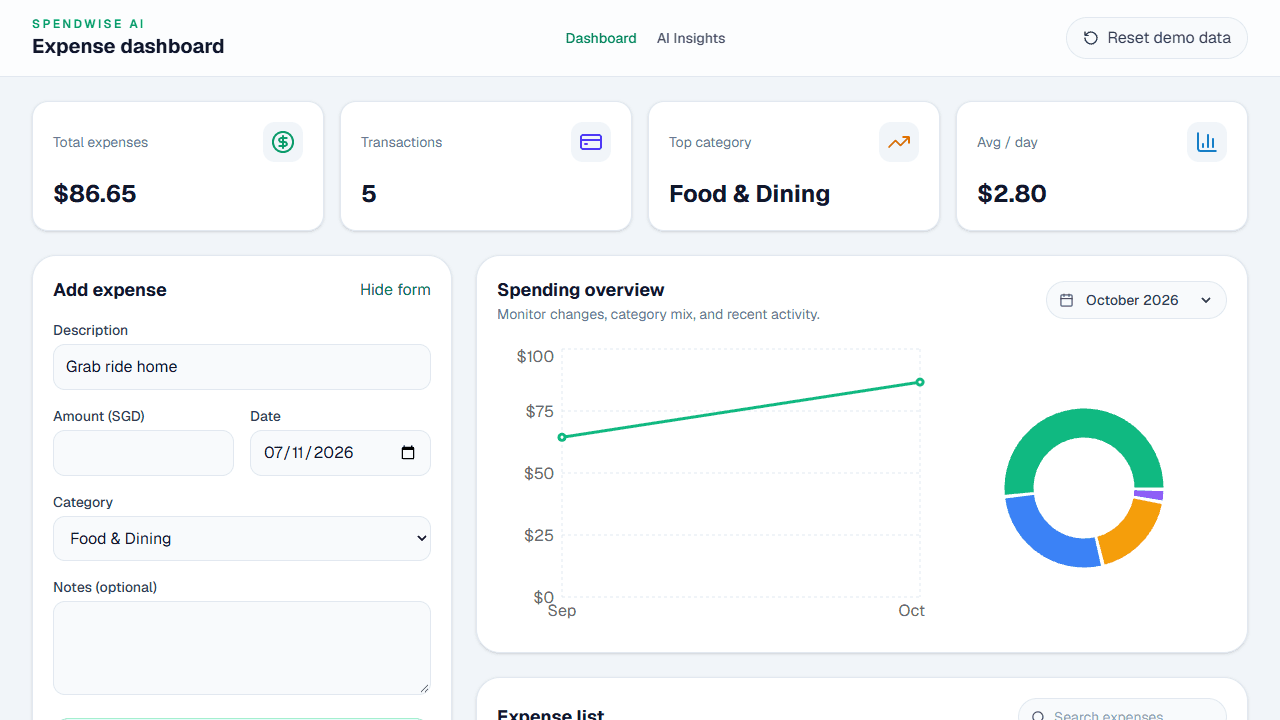
A personal expense tracker that records, organises and charts daily spending, with AI suggesting a category for each new expense from its description.
Project Details
About the Project
The AI Lodge Hackathon 2026 was my first-ever hackathon, and I wanted to take the opportunity to build something practical that I could actually use in my daily life.
There are already many finance trackers out there, but I wanted to build one with my own personal touch while exploring how AI could make expense tracking easier. I had never built a full-stack application like this before, so SpendWise AI was also a chance to challenge myself and learn new technologies.
What It Does
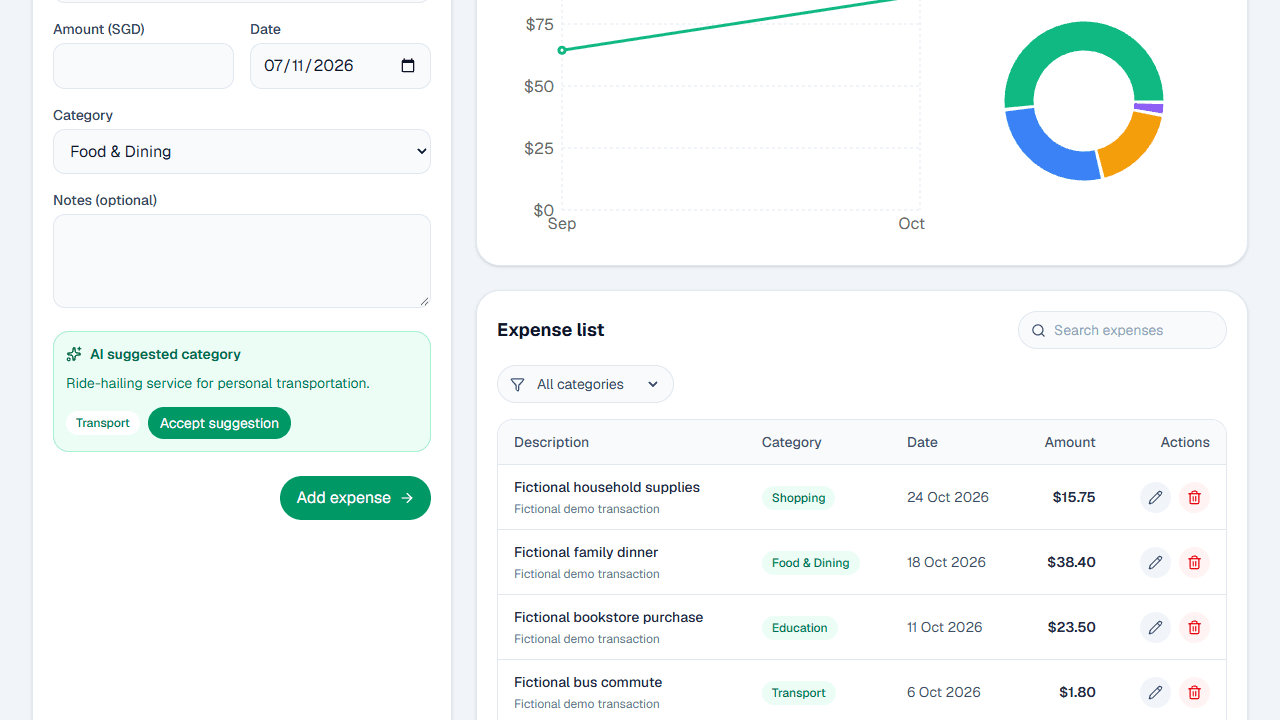
SpendWise AI lets you record, organise and manage your daily expenses through a simple interface. You can:
- add, edit and delete expenses;
- sort transactions into spending categories;
- view your monthly spending on a dashboard with charts and category breakdowns;
- search and filter your expenses; and
- get AI-powered category suggestions based on each transaction’s description.
The goal is to reduce the effort of tracking expenses while helping you understand your spending habits.
How I Built It
I built the website with Next.js, TypeScript, React and Tailwind CSS. Supabase handles user sign-in and the PostgreSQL database, with Row Level Security so users can only access their own expense records. Category suggestions come from an AI model through the AI Lodge API (APIYI), and the app is deployed on Vercel.
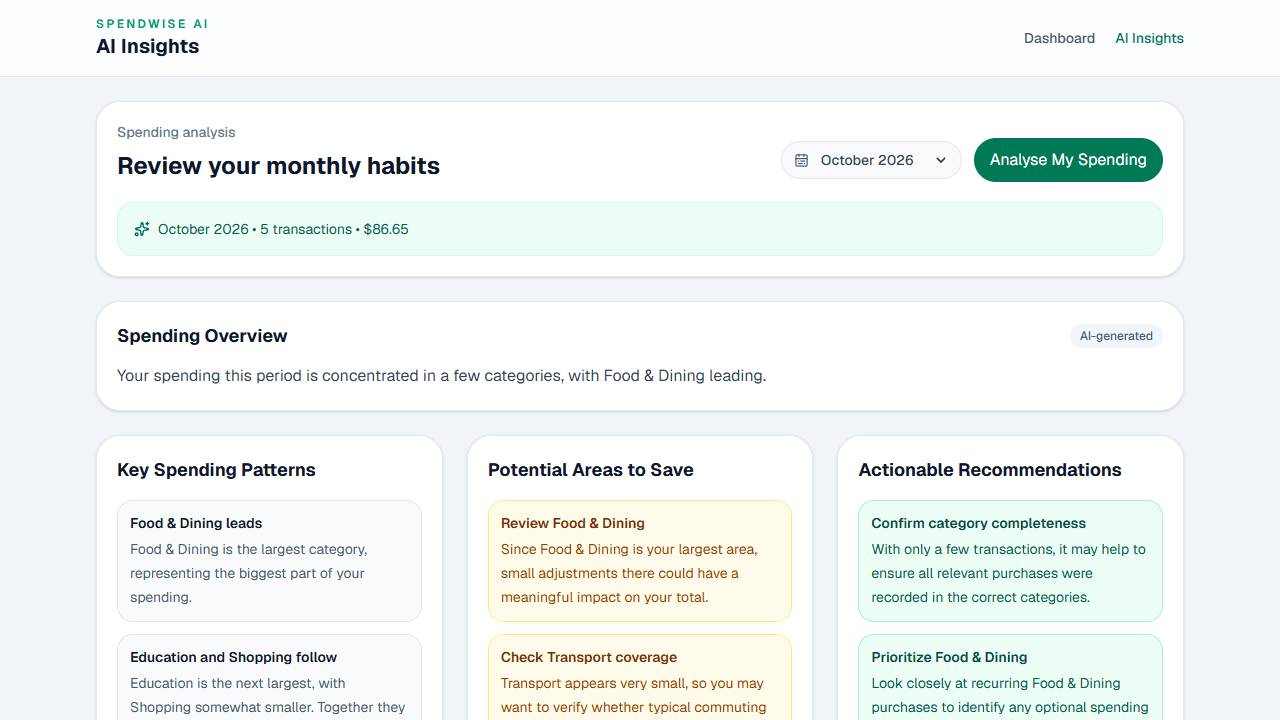
Along the way, I learnt about responsible AI integration, particularly the importance of validating AI outputs and handling situations where the AI service is unavailable. I also started an AI Spending Insights feature but paused it until it could work reliably; the club’s hosted demo has it switched on.
Project Satisfaction
As this was my first hackathon and my first full-stack application, I’m proud that I turned an idea into a working website. I had very little experience with Next.js, TypeScript and Supabase, so seeing sign-in, expense tracking and AI categorisation come together was really satisfying. I’m also glad I deployed it publicly, and it’s something I can genuinely see myself using.
Biggest Challenge
Getting the different services to talk to each other: Supabase sign-in, API keys, password recovery and the AI provider all took a lot of trial and error. API rate limits and timeouts also hit the spending insights feature, so I prioritised getting the core features working reliably. Researching, experimenting and using Codex to understand bugs taught me that building an app is about problem-solving and knowing what to prioritise, not just writing code.
Areas for Improvement
With more time, I’d develop AI spending insights further so users get personalised recommendations based on their habits. I’d also add monthly budgets, recurring expenses and spending alerts, and improve the mobile experience so I can use it regularly to manage my own finances.

Build a project with us
Join AI Lodge, build with your track through the semester, and show your project at Hack Day. We will feature it here.